The feedback board
How to report a bug, ask for a feature, and write it up so it actually gets fixed.
Updated 5 Aug 2026
You know which screen is slow, which button lies to you, and which thing still makes you pick up the phone. Nobody building this app knows any of that. They only know what you tell them.
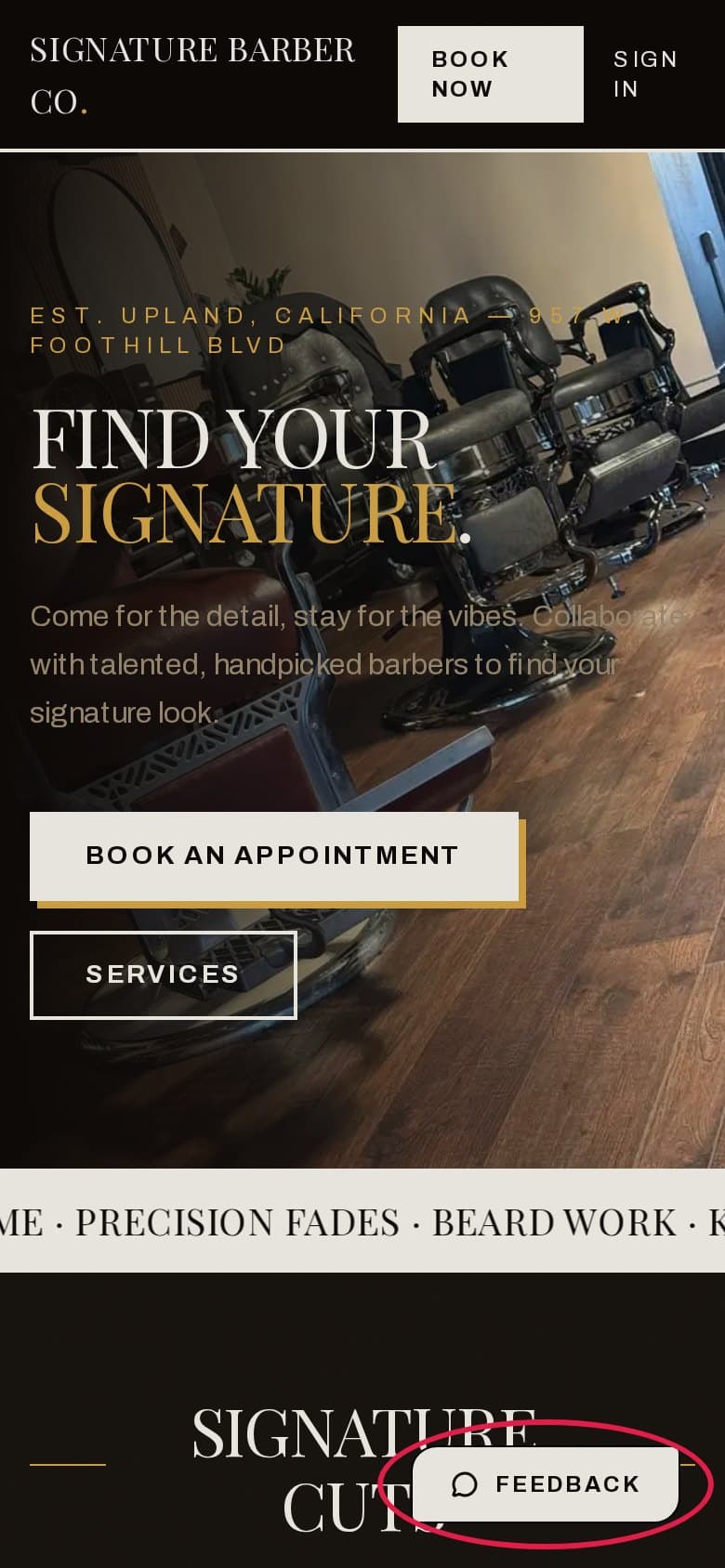
The feedback board is how you tell them, and it takes about ninety seconds. There is a Feedback button pinned to the bottom-right of every page on the shop site.
Here is the part worth knowing before you start: vague feedback gets read and set aside, because nobody can act on it. Specific feedback gets worked on. The difference is almost never the idea — it is how the post was written.
How to write one that gets fixed
Six things. None of them take long.
- One problem per post. Two bugs in one post means one gets fixed and the other gets forgotten.
- A title someone can scan. Assume it is read in a list of thirty, on a phone, by someone deciding what to open.
- What you expected, and what actually happened. Both. "It's broken" only tells half of it.
- The exact steps. What you tapped, in order, before it went wrong.
- When it happened and on what. Time of day, day of the week, your phone or the shop iPad. Bugs that only happen on one of those are the normal kind.
- A screenshot, when the screen is the point. Paste it straight into the details box.
Same problem, written two ways:
Hard to act on
Booking is broken
Cannot book people in. Please fix.
Gets fixed
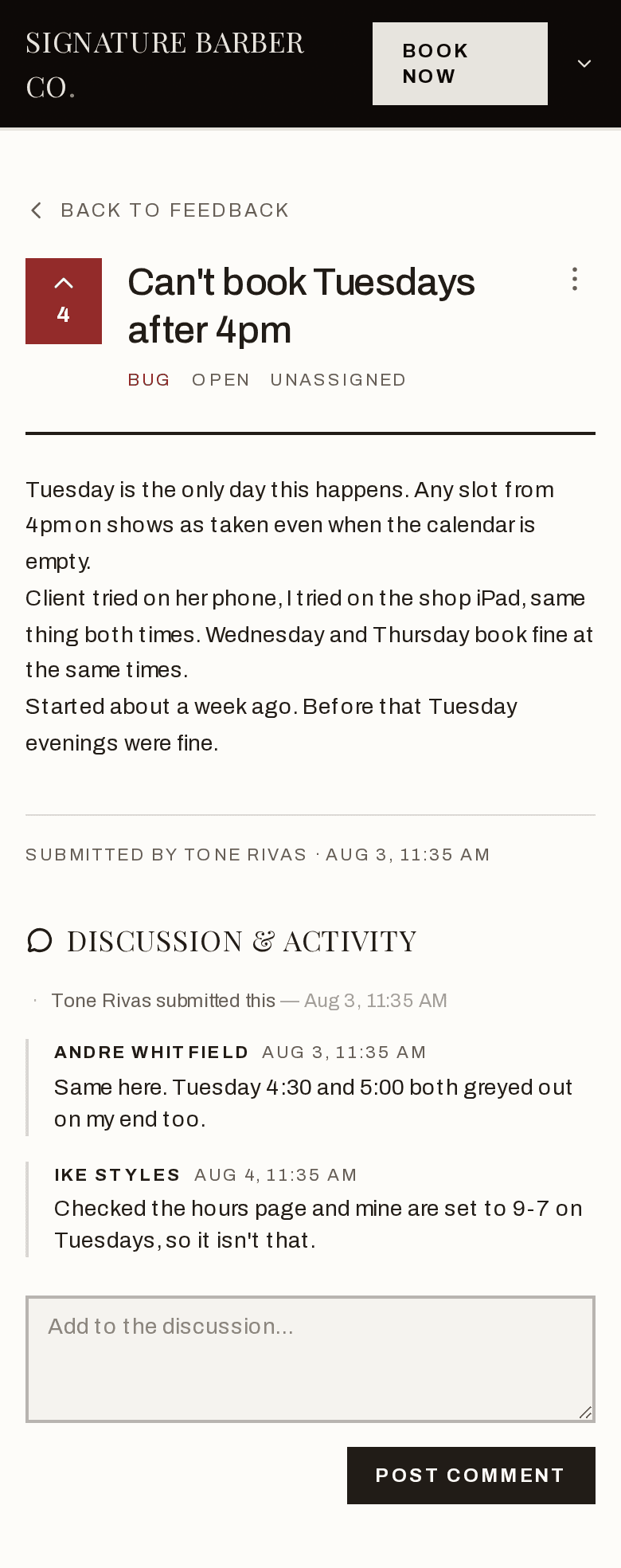
Can't book Tuesdays after 4pm
Tuesday is the only day this happens. Any slot from 4pm on shows as taken even when the calendar is empty.
Client tried on her phone, I tried on the shop iPad, same thing both times. Wednesday and Thursday book fine at the same times.
Started about a week ago. Before that Tuesday evenings were fine.
The second one names the day, the time, the two devices, and when it started. Someone can go and reproduce it this afternoon. The first one cannot even be searched for.
More, if you want it
Where the board is, and who can see it
The Feedback button is pinned to the bottom-right corner of every page on the shop site. Tap it from anywhere.
The button is on the shop site, not inside your barber dashboard. From the dashboard, tap Signature. in the top-left first, then look bottom-right.
Anyone can read the board without signing in. To vote, comment, or post you need to be signed in — the board will send you to the sign-in screen and bring you back to where you were.
Search before you post
Finding an existing post takes ten seconds and is worth more than a second copy of it, because votes and comments land in one place instead of being split across two.
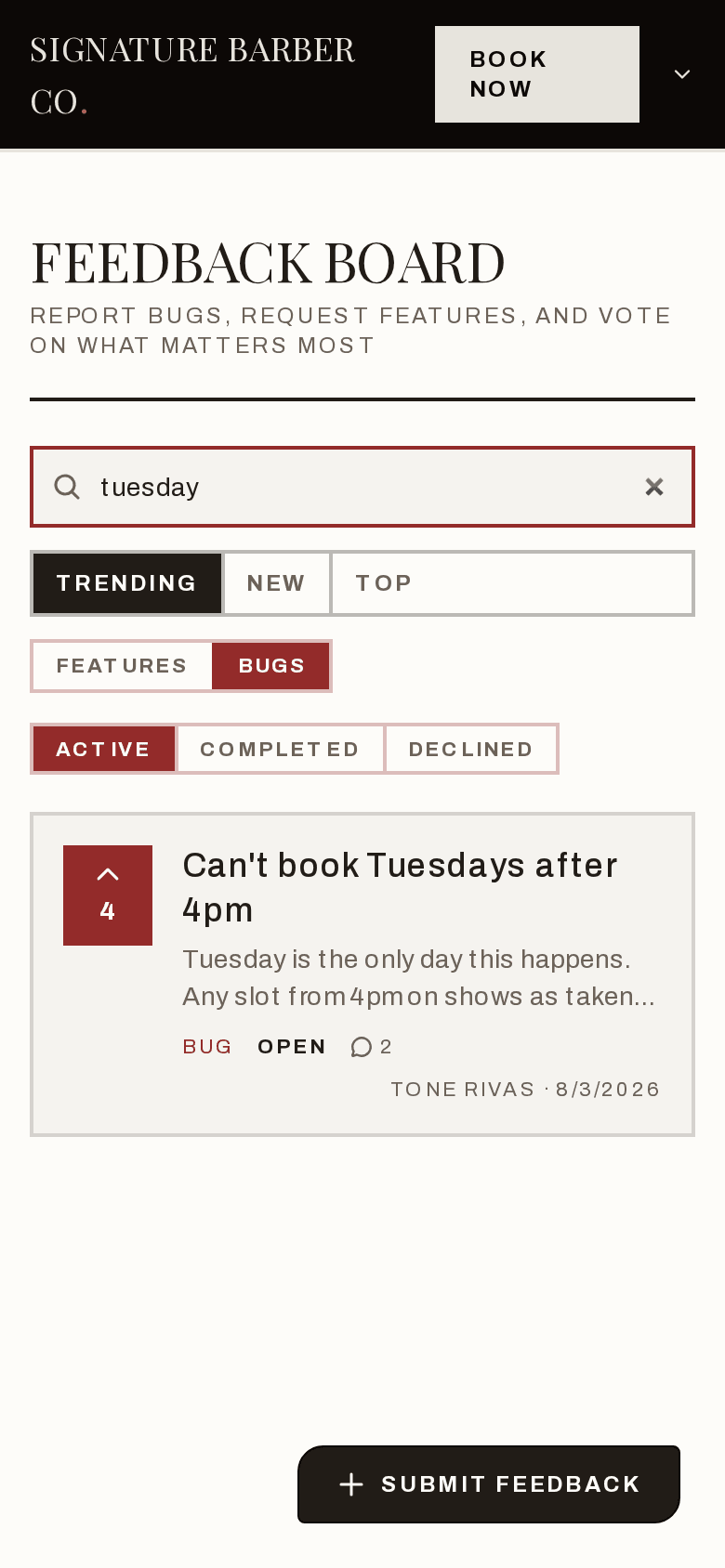
Pick Features or Bugs
You are only ever looking at one of them. The board opens on Features, so if you are chasing a bug, tap Bugs first.
Then search
The search box only looks inside the tab you are on. Searching "Tuesday" under Features will find nothing even when there is a Tuesday bug sitting right there. Try one or two plain words rather than a whole sentence.
Check Completed and Declined too
The board opens on Active. Something you are about to report may already be built, or may have been turned down for a reason worth reading.
Vote instead of reposting
If it is already there, vote on it. The arrow and number on the left of each card is the vote button. Tap it once to add your vote, tap it again to take it back. The number moves straight away.
Votes are not decoration. Trending ranks by votes against how new something is, and Top ranks by votes outright, so the things the most of you are hitting rise to where they get seen. Five votes on one post carries far more than five separate posts saying the same thing.
If you have something to add — it happens to you too, but on an iPad, or only in the afternoons — put it in the comments on that post rather than starting a new one. That detail is often the thing that makes a bug findable.
When you post something yourself, you are counted as its first vote automatically. You do not need to go back and vote for your own.
Posting something new, step by step
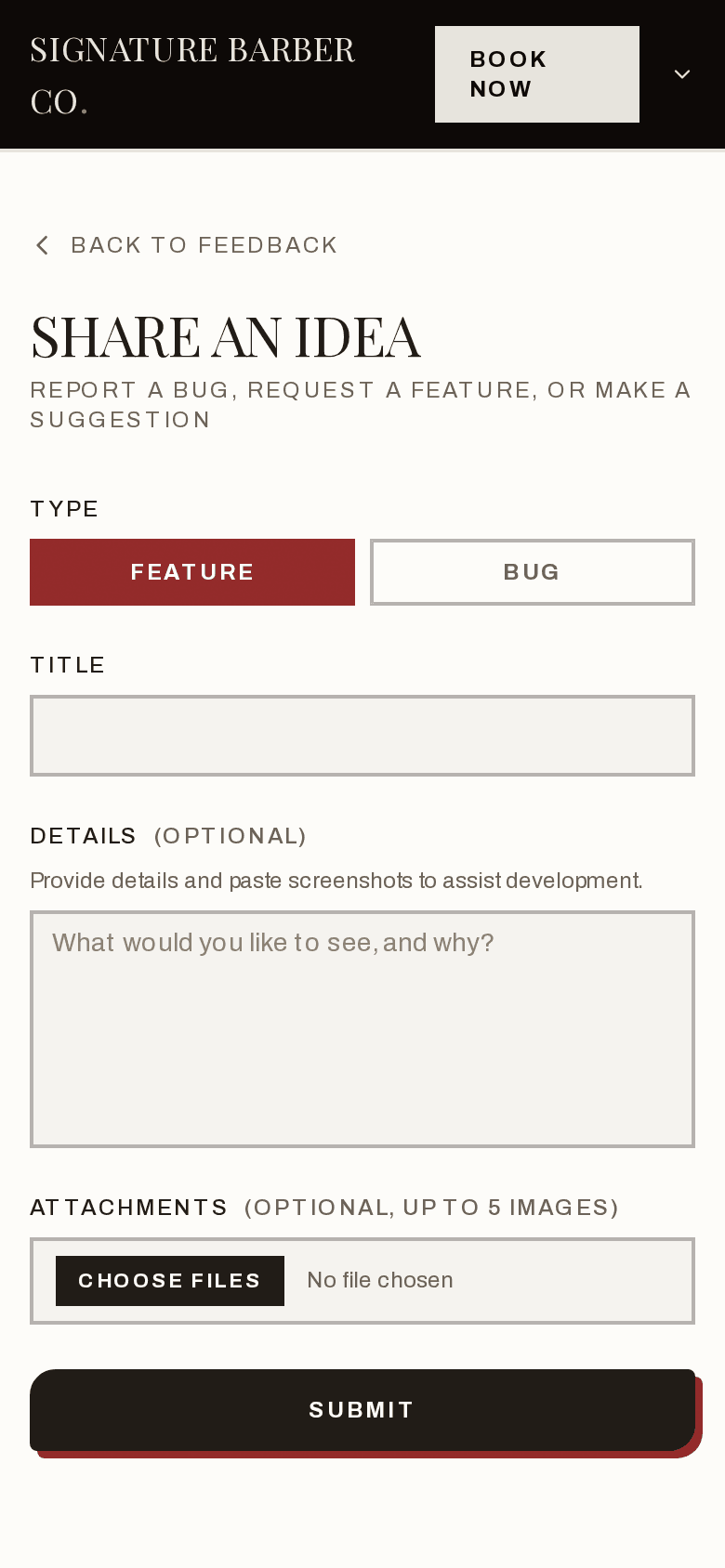
Tap Submit Feedback
Bottom-right of the board.
Choose Bug or Feature
A Bug is the app doing something wrong. A Feature is the app not doing something yet. If you are not sure, pick the one that feels closer — nobody will hold it against you.
Write the title
This is the only required field, and it is the one that decides whether your post gets opened.
Fill in the details
Marked optional. Fill it in anyway — it is the difference between a fix this week and a fix in three months. You can paste a screenshot straight into this box, and it stays where you put it in the text.
Attach anything else
Up to five images, 5 MB each.
Submit
You land on your post's own page, already counted as its first vote.
Changed your mind, or spotted a typo in your own post? Open it and use the ⋮ menu at the top right. You can edit or delete anything you posted yourself.
Asking for a feature
Same idea, one twist: describe the problem, not the button.
You know the shop. You do not have to know what the app should look like, and guessing at the solution can send everyone down the wrong road. Say what keeps going wrong and how often, and let the people building it work out the shape.
Solution first
Add a reschedule button
Problem first
Let clients move their own appointment
I get four or five calls a day that are just "can I push my 2pm to 3pm". Every one of them interrupts a cut.
Both might end up as a button. But the second one also explains why it matters, which is what decides whether it gets built before something else.
What the statuses mean
Every post carries one. It shows on the card and at the top of the post.
| Status | What it means |
|---|---|
| Open | Posted. Nobody has picked it up yet. |
| Under review | Being looked at, but not committed to. |
| Planned | Agreed. Waiting its turn. |
| In progress | Somebody is building it now. |
| Completed | Done and live. |
| Declined | Not going ahead. |
The board opens on Active, which is everything except Completed and Declined. Those two have their own tabs.
You will not see the controls that change these — status, who it is assigned to, and how urgent it is are set by the people building the app, on a panel that only they can see. What you do see is the result. Every change is written into Discussion & Activity at the bottom of the post, with who made it and when, so you can always tell whether your report moved this week or has been sitting still since March.
What happens after you post
Somebody reads it, usually within a day or two. It gets a status, and if it is being worked on, it gets assigned to a person.
Then one of three things happens. It gets built. It gets parked as Planned behind something more urgent. Or it gets Declined.
Declined is not a wasted post. It means somebody looked, thought about it, and decided against it — and the reason lands in the comments. That is a real answer, and it stops the same idea going round the shop for another six months. It also stays on the board, so when three more people hit the same wall next spring, the argument for changing their mind is already written down.
Not everything gets built. The board is a queue, not a promise. What it does guarantee is that the thing you noticed at 4pm on a Tuesday is written down somewhere other than your head.